
Payroll reports
Payroll reports cover posted payrolls over any range of months, for one branch or all of them.
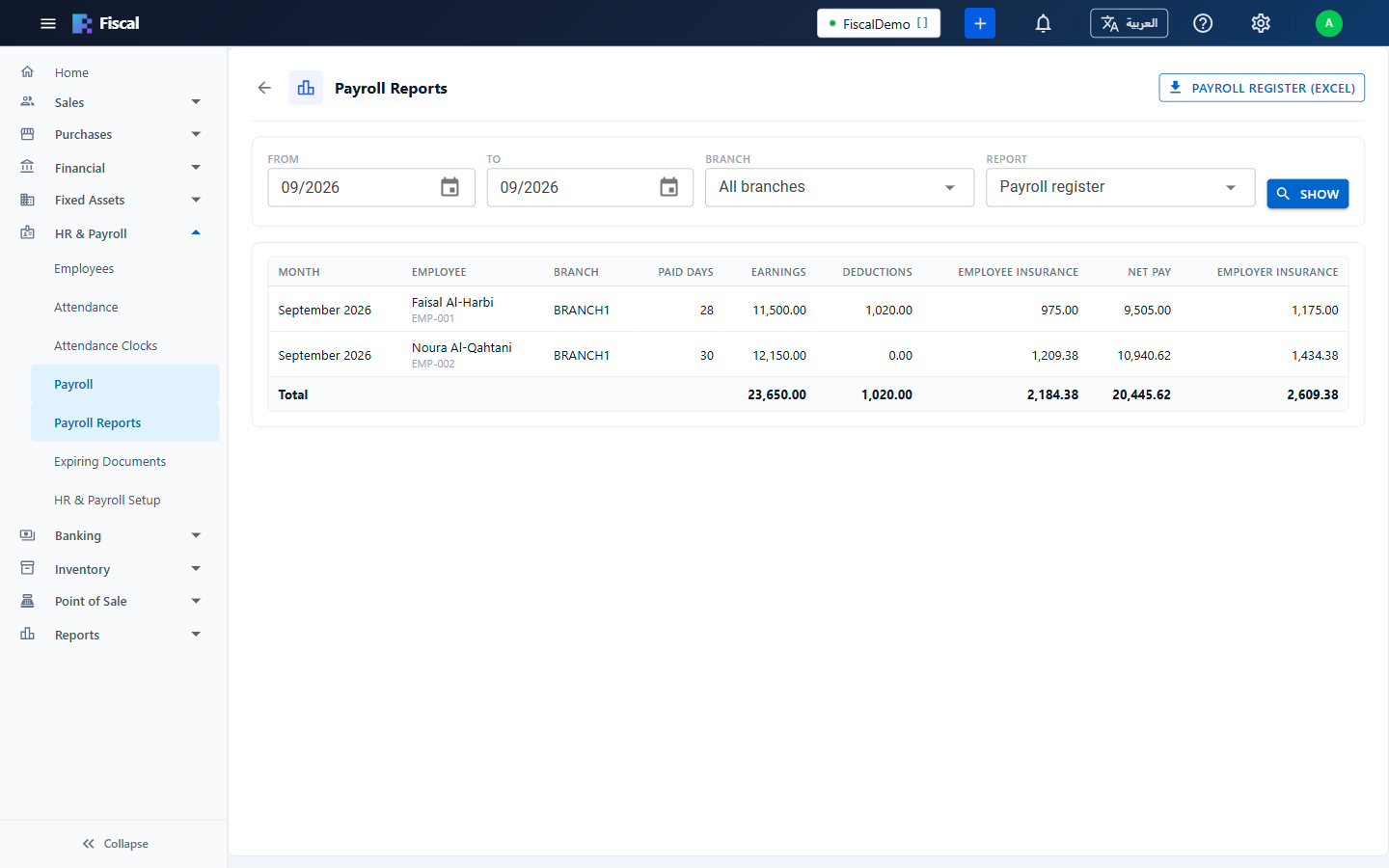
Open HR & Payroll›Payroll Reports. Choose the months From and To, the branch and the report, and click Show.
The reports
- Payroll register: each employee's month: paid days, earnings, deductions, employee insurance, net pay and employer insurance, with totals. Payroll Register (Excel) downloads it as a spreadsheet, adding each employee's ID, social insurance scheme and number, insurable wage, unpaid days, and the amounts paid and still to pay.
- Social insurance contributions: per employee, their ID or Iqama, social insurance number, insurable wage and the employee's and employer's contributions, grouped by scheme. Use it to check the GOSI or GPSSA statement.
- Salaries still to pay: employees whose posted salary hasn't been fully paid, with the amount paid and still to pay.
Can't find what you need? Write to info@exlerithub.com or chat with us on WhatsApp.