Accounting and ERP for Saudi Arabia and the UAE

Accounting and ERP that works the way you do

From the first quotation to the VAT report, every step is in one system. Fiscal runs in the browser, and owners and managers can follow the business from their phone.

Already a customer? Sign in at fiscal.exlerithub.com

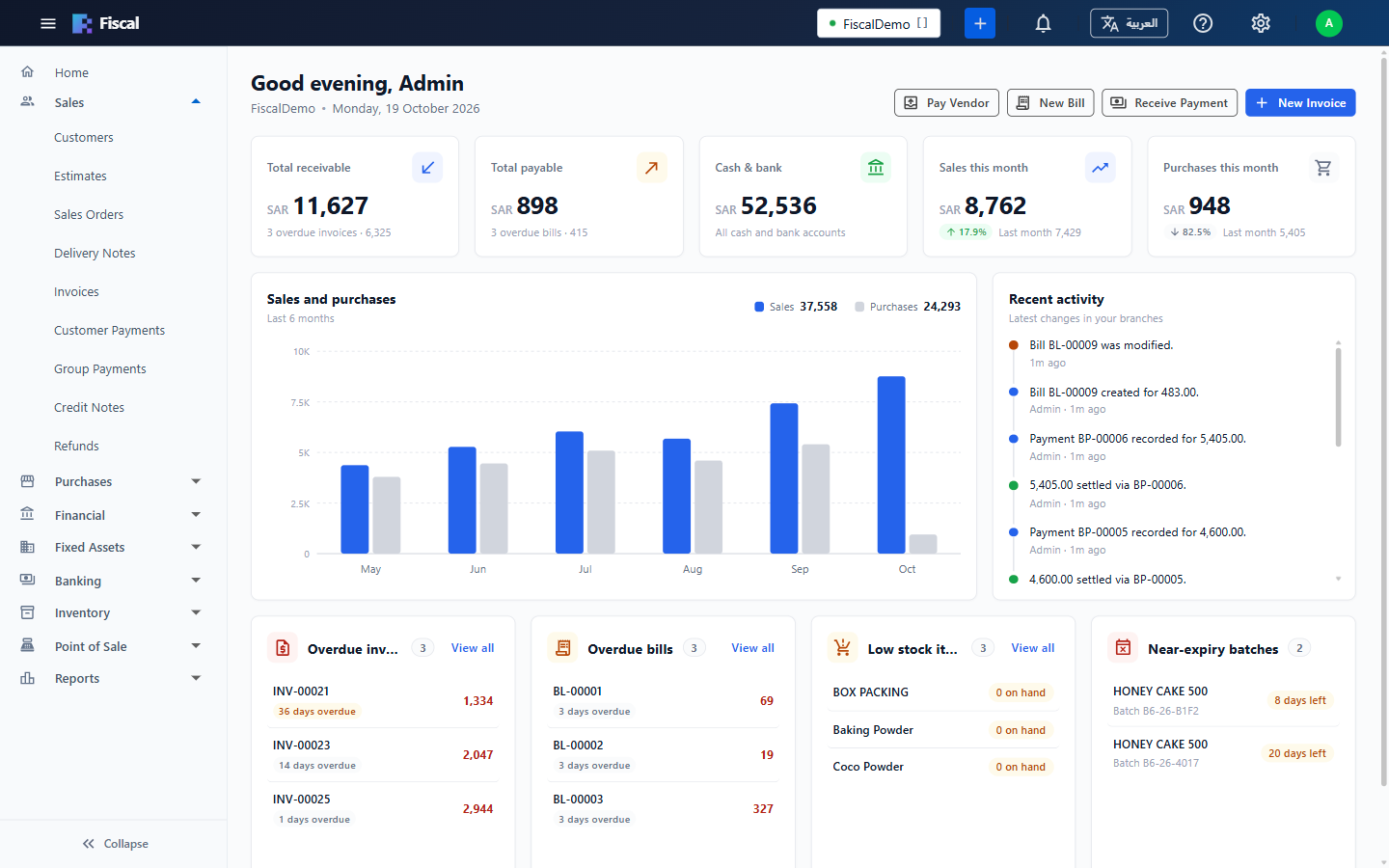
The Fiscal dashboard: receivables, payables, cash and bank, this month's sales and purchases, recent activity and overdue bills
Nothing to installRuns in the browser
English and ArabicEach user picks a language
ZATCA e-invoicingPhase 1 and Phase 2
Your own databaseA separate one for every company

E-invoicing for ZATCA

Fiscal prints ZATCA QR codes on your invoices today, and sends them to ZATCA for clearance and reporting in Phase 2.

Phase 1: Generation

Ready

Every invoice you print carries the QR code ZATCA requires.

  • A ZATCA QR code on every printed invoice: seller name, VAT number, date and time, total and VAT
  • A bilingual (English and Arabic) tax invoice template, ready for new companies
  • VAT worked out on every line, and tax reports for your VAT return

Phase 2: Integration

Ready

Fiscal sends every invoice and credit note to ZATCA's platform (Fatoora) through the Exler EGS gateway.

  • B2B tax invoices cleared by ZATCA before they can be printed or sent
  • Simplified B2C and POS invoices reported, with their QR code printed at once
  • Buyer details and VAT codes checked before posting, and an E-Invoice Queue to follow up anything not accepted
  • Choose your Phase 2 start date: earlier invoices stay as they are
How e-invoicing works in Fiscal

A tour of Fiscal

Every document posts to your accounts and stock as you save it, so the figures on every screen are up to date.

Sales

From quotation to paid invoice

Turn an accepted quotation into a sales order, a delivery note and an invoice. Fiscal works out discounts and VAT on every line, and posts to your accounts and stock when you save.

  • Price lists, line and invoice discounts, and payment terms with due dates
  • Customer payments, group receipts, credit notes and refunds
  • A ZATCA QR code on every printed invoice
How sales work
An invoice in Fiscal with three lines, VAT at 15% and the grand total
Inventory

Stock you can trust, in every warehouse

Every receipt, sale, transfer and adjustment updates the stock of the warehouse it belongs to, so the quantity on hand is always the real one.

  • Batches with expiry dates, picked by earliest expiry or chosen by hand
  • Transfers, adjustments, usage, stock counts and requests
  • Bills of materials and assemblies, costed by moving average or FIFO
How inventory works
The items list in Fiscal, with an item's details, prices, accounts and stock in hand
Accounting and banking

Books that keep themselves

Invoices, bills, payments and stock movements make their own journal entries, so the chart of accounts always shows today's balances.

  • Journal vouchers, expenses and post-dated cheques
  • Fund transfers, bank deposits and bank reconciliation
  • Close the books up to a date, so nobody changes a finished period
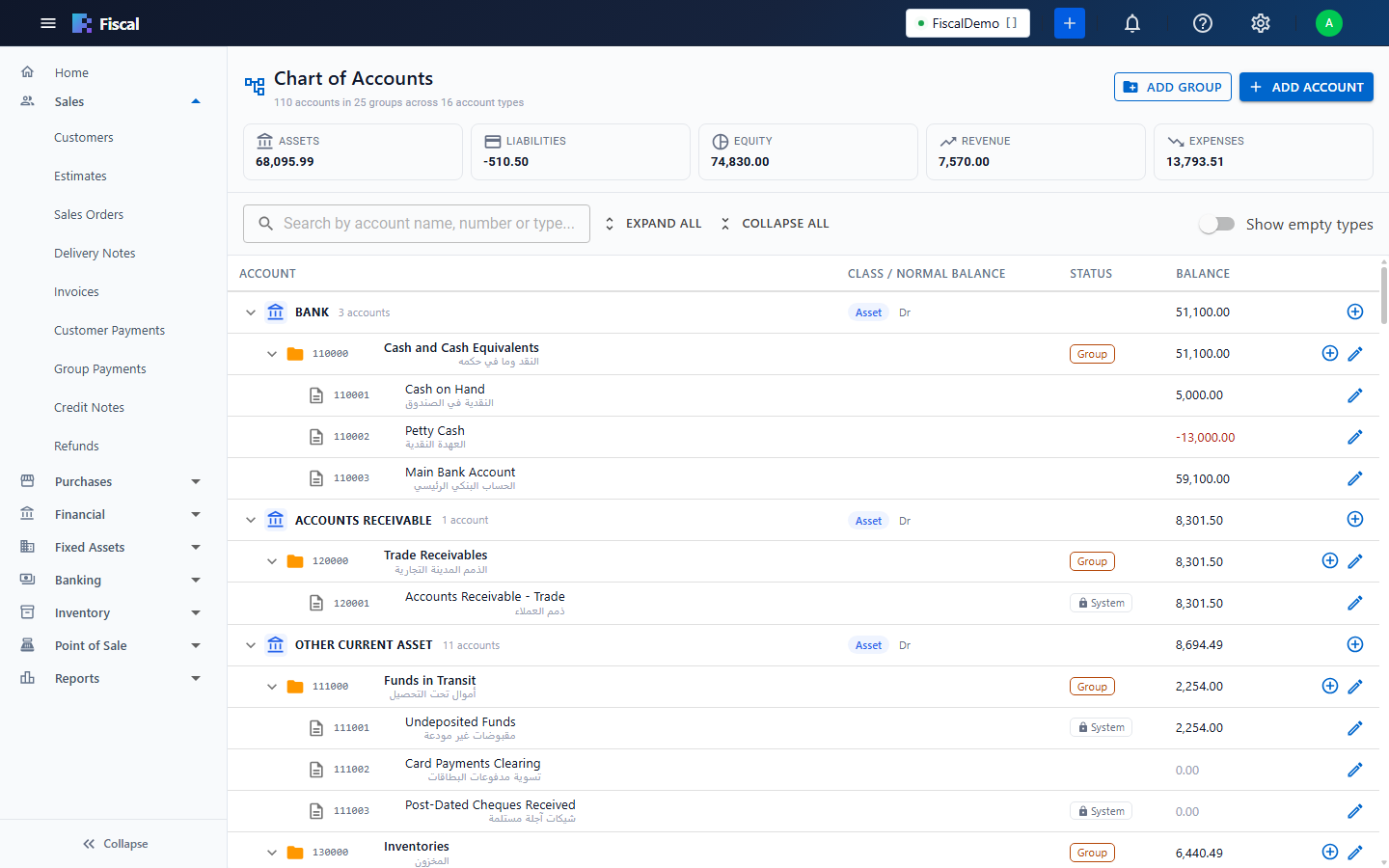
The chart of accounts
The chart of accounts in Fiscal, with totals for assets, liabilities, equity, revenue and expenses
Fixed assets

Assets that depreciate themselves

Keep one register of your vehicles, equipment, computers and furniture. Buy an asset on a bill and it lands in the register, ready to activate. Fiscal then works out each month's depreciation and posts it in one run.

  • Straight-line depreciation by category, with useful life and residual value
  • Sell or write off an asset, with the gain or loss posted for you
  • Asset register, depreciation schedule and asset movement reports

Fixed assets are part of selected plans.

Rent, insurance and subscriptions paid in advance work the same way, in every plan: register the payment as a prepaid expense and Fiscal moves each month's share to expense, with add, change, early-end and refund options.

The asset register Prepaid expenses
The asset register in Fiscal: vehicles, ovens, computers and furniture with their cost, accumulated depreciation and book value
HR and payroll

Payroll that knows your people

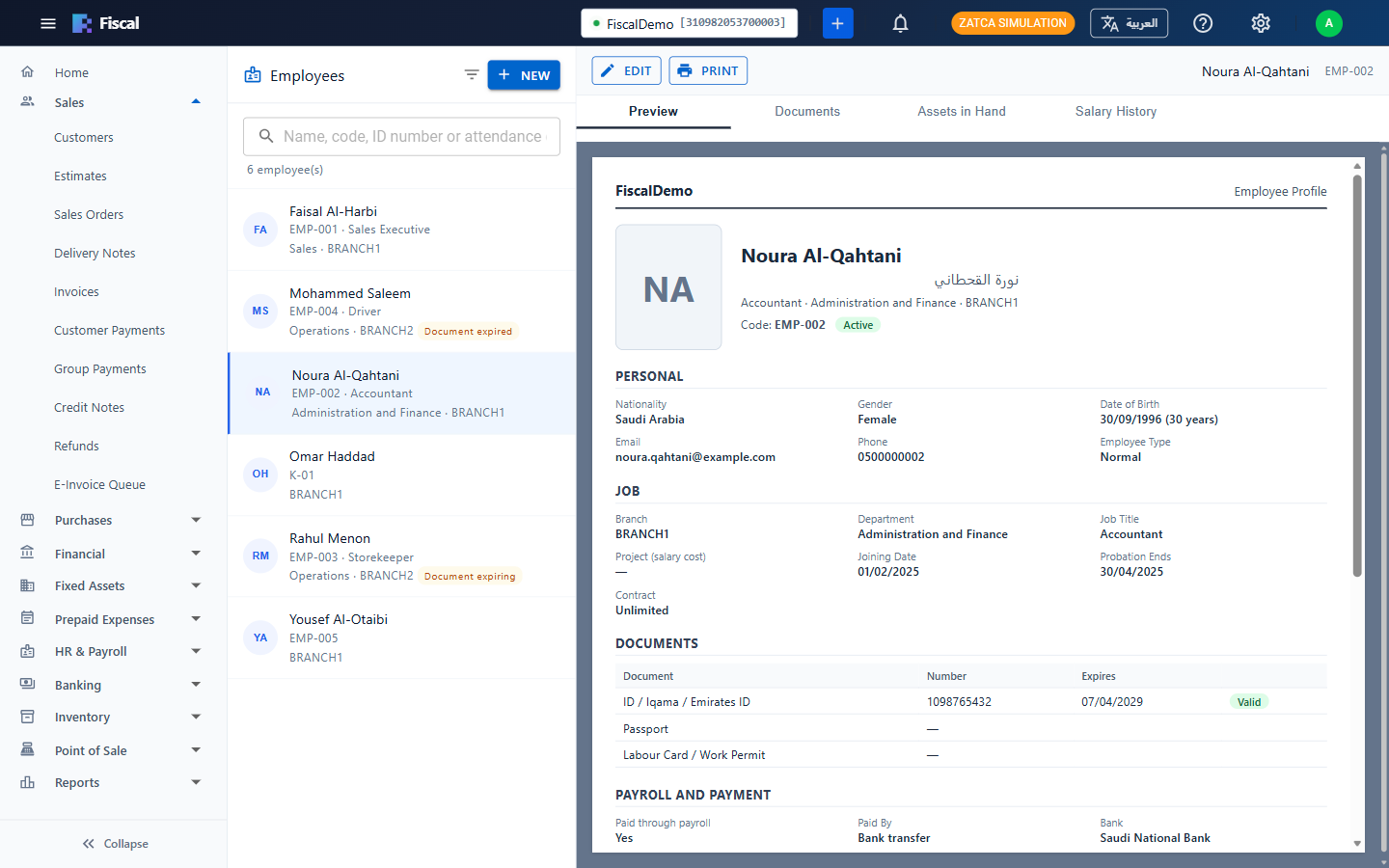
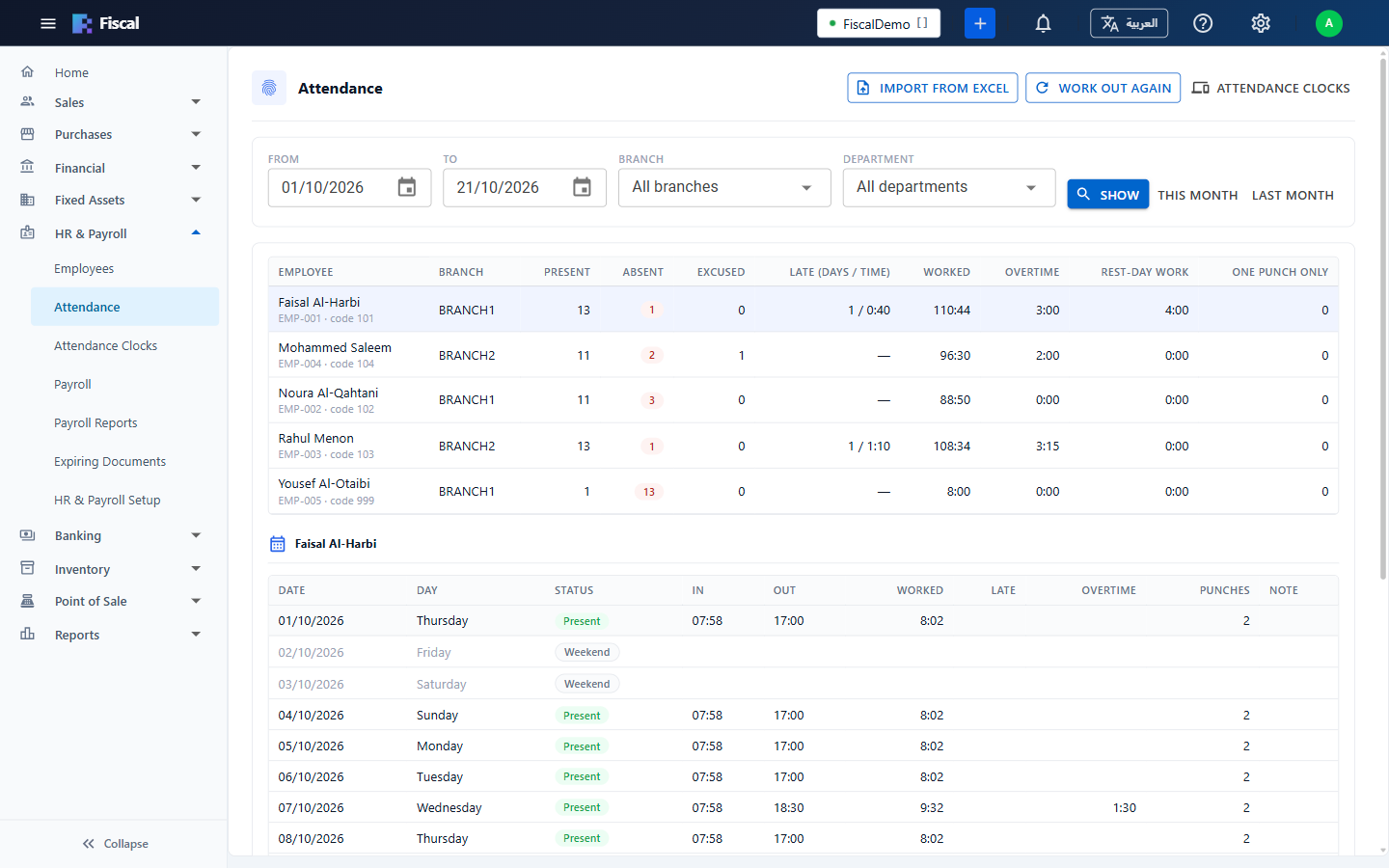
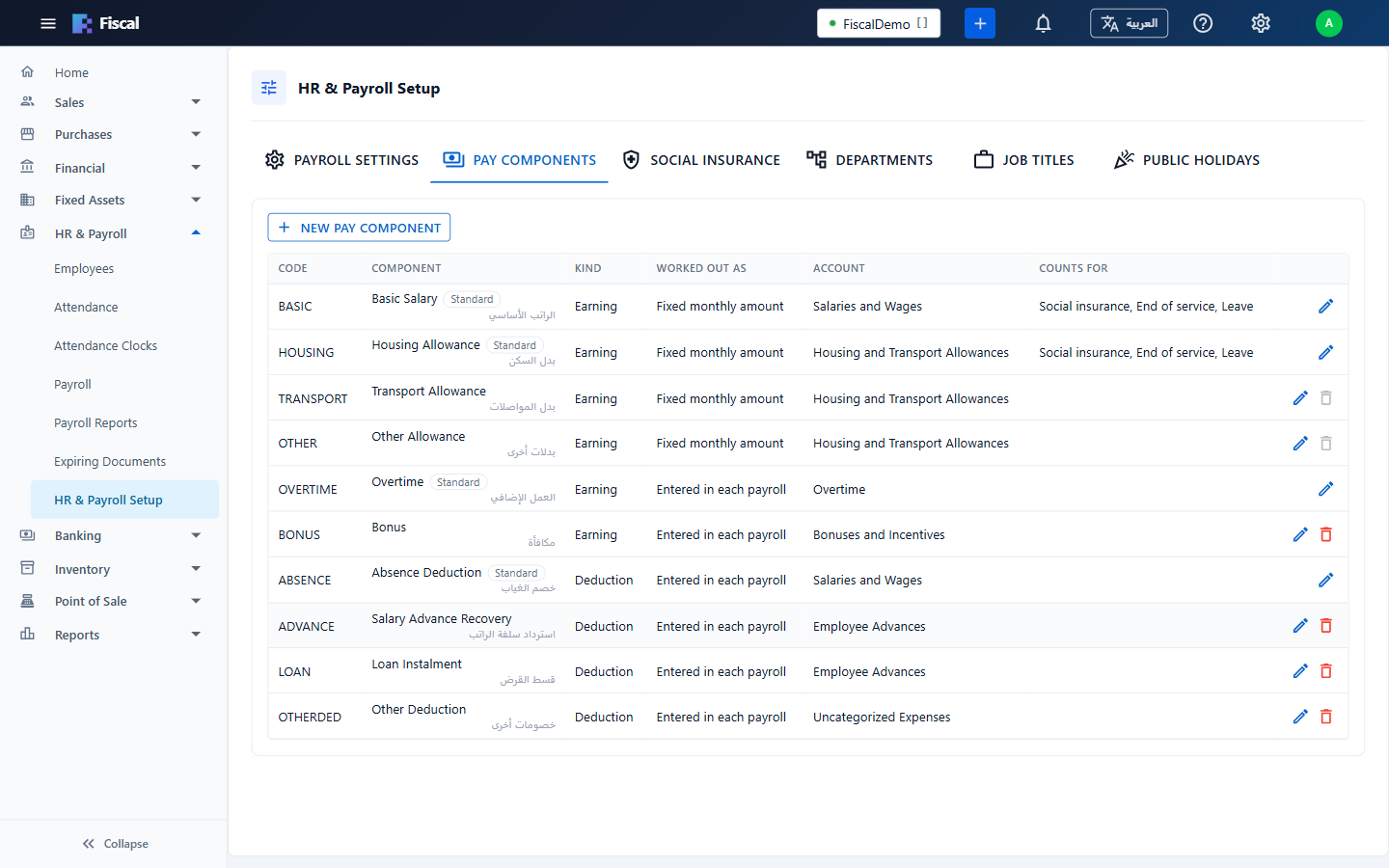
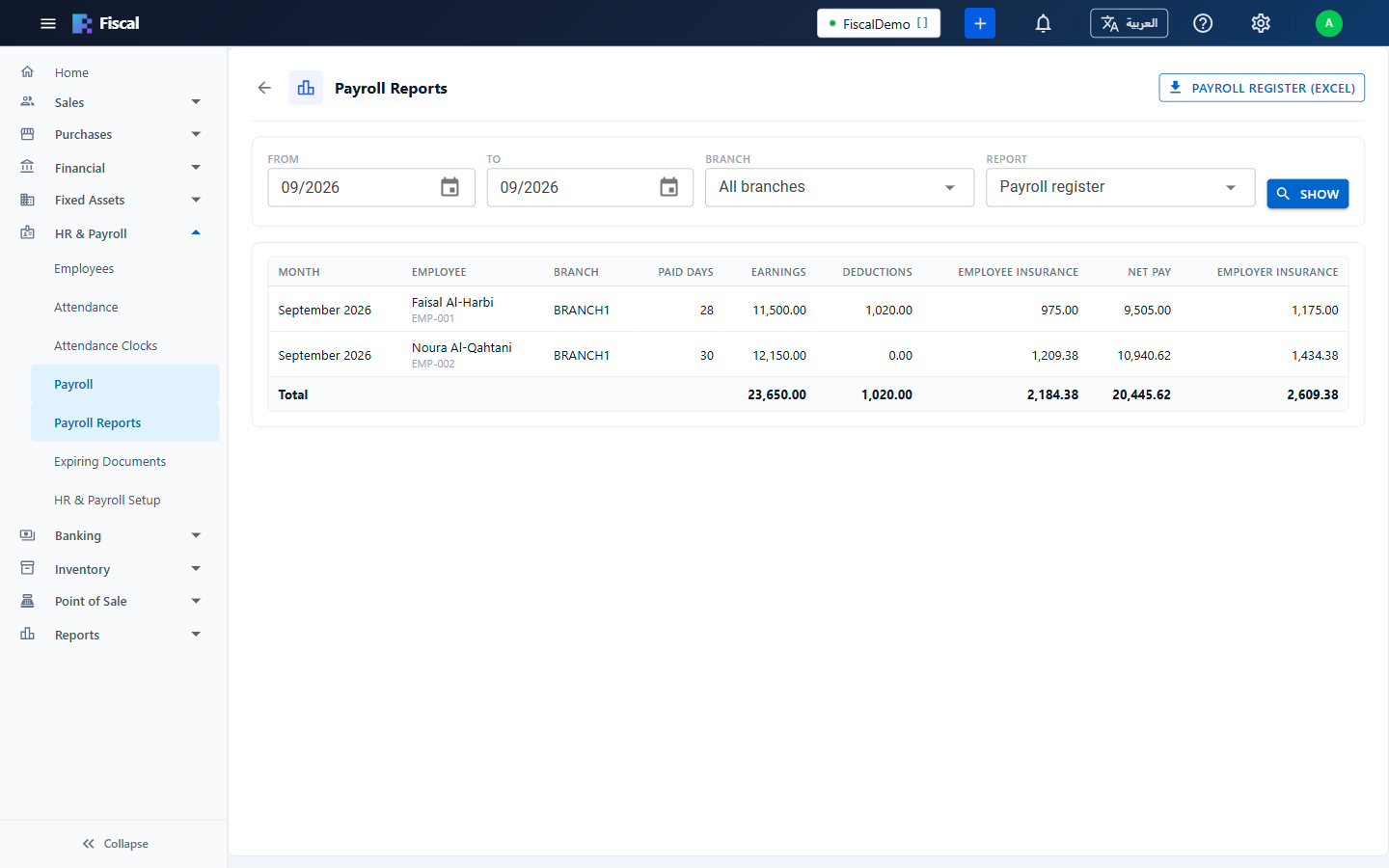
Keep every employee's file, take attendance straight from the fingerprint clock, and let Fiscal work out the month's salaries: allowances, overtime, absences and social insurance, posted to your accounts in one step.

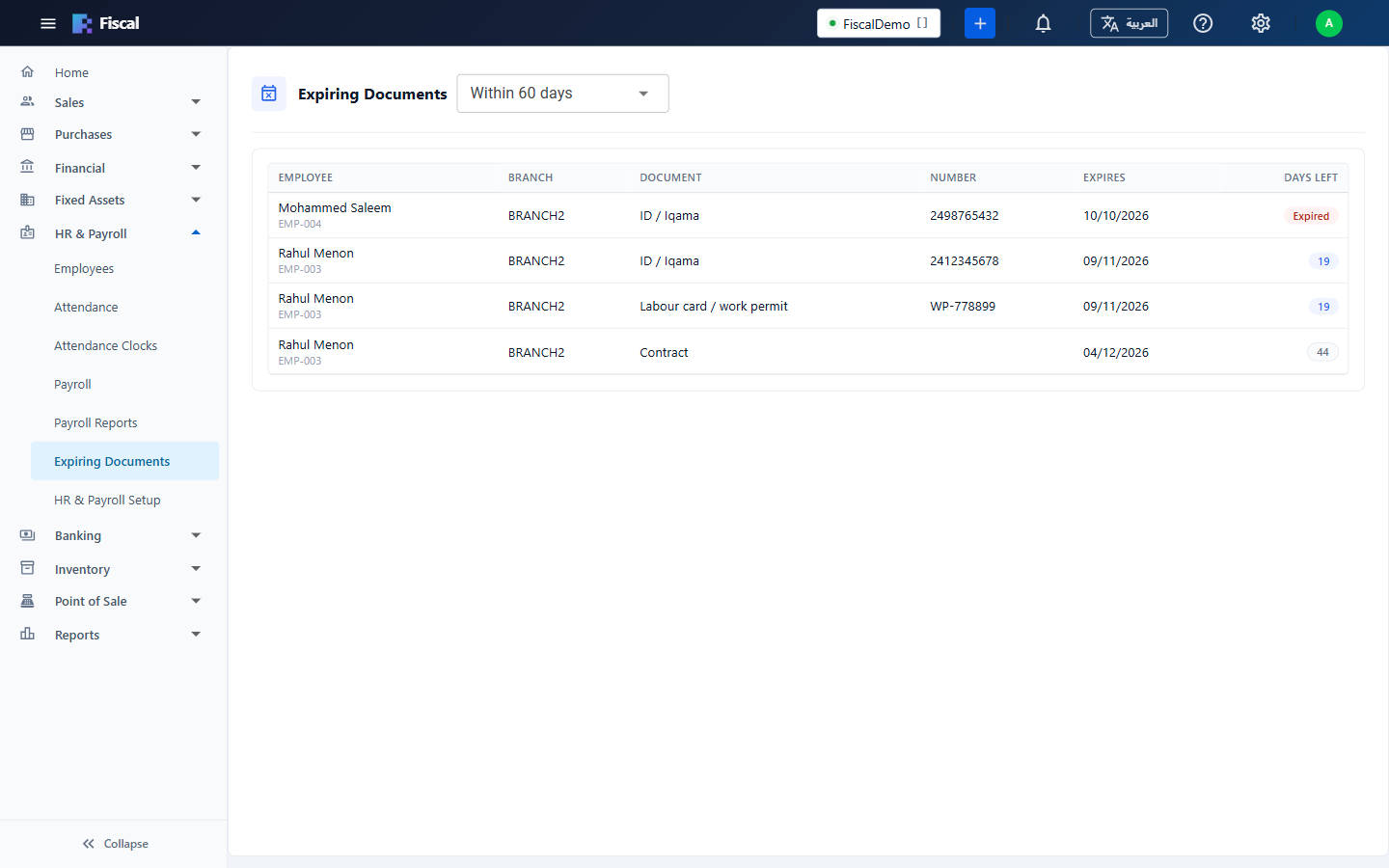
  • ID, passport, labour card and contract expiry alerts
  • ZKTeco clocks over the internet, or attendance from Excel
  • GOSI and GPSSA, bilingual payslips, UAE WPS files and Saudi bank sheets

HR and payroll is part of selected plans.

HR and payroll in Fiscal See more HR screens
A posted monthly payroll in Fiscal with earnings, deductions, social insurance, net pay and salary payments
Point of sale

A fast counter, in the same books

Sell from a touch screen with picture menus of your own: tap a category, tap the item. Dine-in or takeaway. Every sale lands in the same accounts and stock as the rest of the business.

  • Terminals paired to a device, with staff signing in by PIN
  • Held orders, returns, and shifts with an opening float and cash count
  • Receipt printing and kitchen screens
Point of sale in Fiscal
The Fiscal point of sale screen with picture cards for cakes and an order ready to pay
Van sales

Every van, followed live

Drivers sell and collect on the road, and the office sees every van on the map: where it is, how far it has driven and which customers it has visited.

  • Routes with their customers, and a day that opens and closes
  • Van stock loaded by transfer and accepted by the driver
  • Replay a van's day on the map
The van monitor
The Fiscal van monitor with a van's route on a map of Riyadh
Reports and analysis

Know how the business is doing

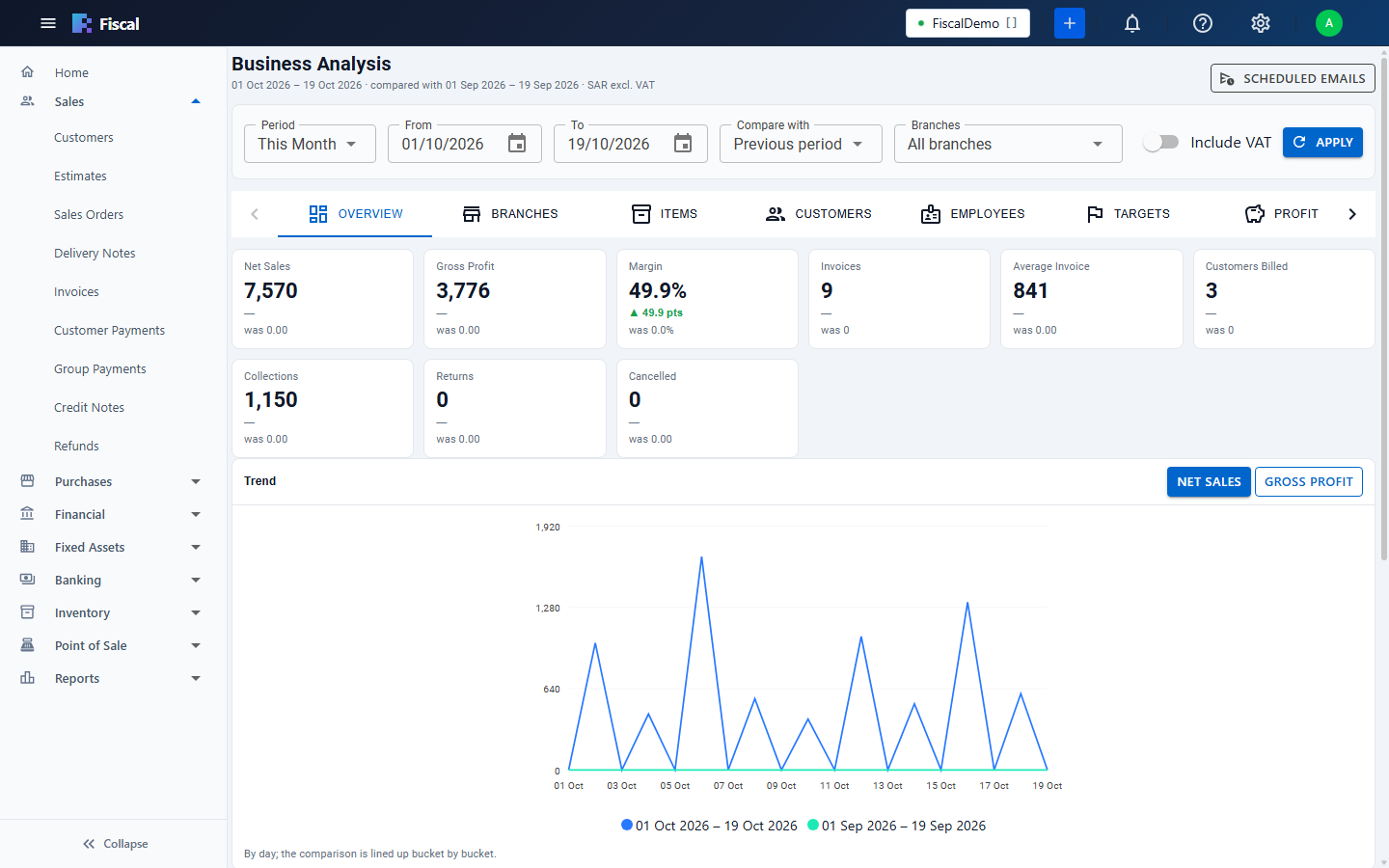
Business Analysis compares any period with the one before it: sales, gross profit, margin, collections and returns, by branch, item, customer and employee.

  • ABC items, customer retention and sales targets
  • Summaries sent by email on a schedule
  • Financial, tax, inventory and sales reports, statements and aging
Business analysis
Business Analysis in Fiscal: net sales, gross profit, margin and a daily trend compared with the previous period

In English and Arabic

Each user works in their own language and can switch at any time from the top bar. In Arabic the whole screen reads from right to left, and customers, items and accounts show their Arabic names.

Wherever you work

Fiscal runs in the browser on a laptop, a desktop or a tablet, with nothing to install. For supermarket checkouts there is Fiscal Counter, a fast Windows checkout that posts straight into the same books.

An accountant with a calculator, working in Fiscal on a laptop
In the accounts office
The Fiscal dashboard on a desktop computer
On the desktop
A business owner checking the Fiscal dashboard on a tablet
On a tablet, wherever you are

Everything in one system

The full list, area by area.

Sales

Sell from the office, the warehouse or the road.

  • Quotations, sales orders, delivery notes and invoices
  • Customer payments, group receipts for related customers, credit notes and refunds
  • Price lists, line and invoice discounts, payment terms
  • Invoice cancellation with a reason, and a cancelled invoices report

Purchases

Know what you ordered, received and owe.

  • Purchase orders, goods receipts, bills and vendor payments
  • Landed costs spread onto the goods they belong to
  • Vendor credits and refunds

Inventory

Stock you can trust, in every warehouse.

  • Multiple warehouses and units per item
  • Batches with expiry dates, picked automatically by earliest expiry or chosen by hand
  • Transfers, adjustments, usage, stock counts and requests
  • Bills of materials and assemblies, and a packing center for produced stock
  • Moving average or FIFO costing

Accounting and banking

Your books are kept as you work.

  • Chart of accounts, journal vouchers and expenses
  • Post-dated cheques received and issued
  • Fund transfers, bank deposits and bank reconciliation
  • Recurring transactions with reminders
  • Fixed assets with depreciation
  • Prepaid expenses spread over the months they cover
  • Multi-currency with exchange rates

VAT and e-invoicing

Ready for tax time.

  • ZATCA Phase 1 e-invoice QR codes on invoices
  • ZATCA Phase 2 clearance and reporting
  • Tax reports for any period, built from your documents
  • Tax templates, including combined taxes

Point of sale, vans and dispatch

Sell at the counter and on the road, and deliver on time.

  • Point of sale with menus, shifts, receipts and kitchen screens
  • Fiscal Counter: a Windows checkout with barcode and weighing-scale label scanning, up to three receipt printers, returns and counter reports
  • Van routes, day open and close, and van stock
  • Live van locations on a map
  • Dispatch center for warehouse picking and delivery

HR and payroll

Your people, paid right and on time.

  • Employee files with document expiry alerts
  • Attendance from ZKTeco clocks or Excel
  • Monthly payroll with overtime, absences and GOSI or GPSSA
  • Salary payments, payslips, UAE WPS and Saudi bank files

Reports and analysis

Answers, not just numbers.

  • Sales, receivables, payables, financial, tax, inventory and production reports
  • Customer and vendor statements, aging and ledgers
  • Business analysis: profit, ABC items, customer retention and targets, with scheduled emails
  • Management monitor with live activity and alerts

In control, and secure

Decide who can see and do what.

  • Rights per screen and action: view, create, modify, delete and print
  • Branch and warehouse access per user
  • Activity log and sign-in history
  • Company licences, employee papers and vehicle documents with expiry alerts by bell and email
  • A separate database for every company, over encrypted (HTTPS) connections

Built for Saudi Arabia and the UAE

Fiscal is made for how companies in the Gulf work.

  • VAT ready. Tax reports by period, built from your invoices, bills and returns.
  • ZATCA e-invoicing. QR codes on every invoice (Phase 1), and clearance and reporting with ZATCA (Phase 2).
  • English and Arabic, for every user.
  • Branches and warehouses, with each user limited to the ones they may see.
  • Multi-currency documents with exchange rates.
Fiscal mobile app · coming soon to Google Play

Your business at a glance

Today's sales compared with yesterday and last month, who owes you and whom you owe, cash and bank balances, post-dated cheques, stock value, low stock and expiring batches, and alerts. In English and Arabic.

  • Pair your phone once with a code, then open it with your own PIN
  • Filter by branch, or see the whole company
  • Read-only, so it can't change your accounts

Ready to see Fiscal?

We'll walk you through Fiscal with your kind of business in mind, and answer your questions.

Chat on WhatsApp